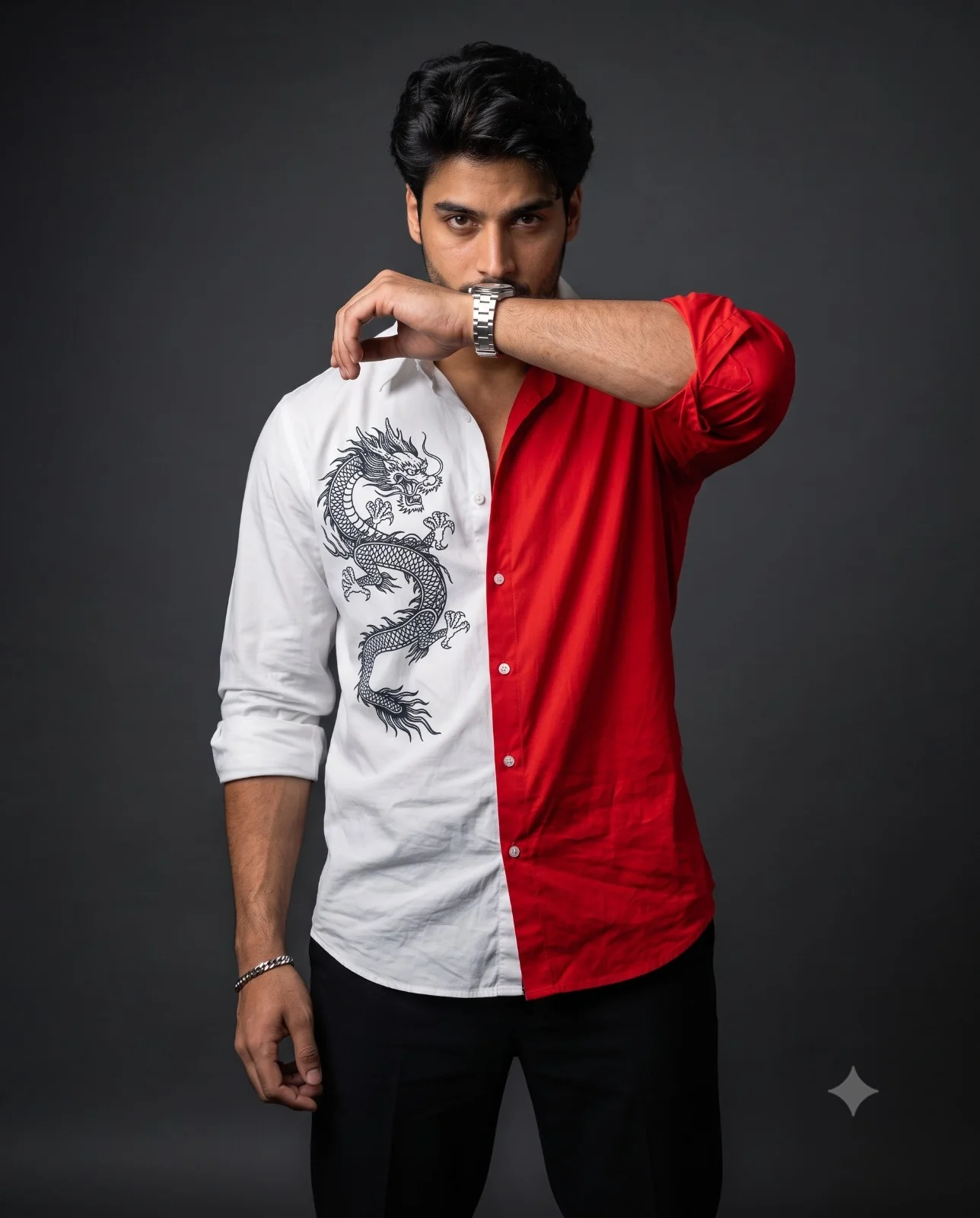
Red and White Dragon Shirt Man Portrait Prompt
Prompt
Create a highly-detailed photorealistic cinematic fashion portrait of a stylish man(face match) standing against a smooth dark grey studio background. He is wearing an loose bold half-and-half shirt: the left side is crisp white with a large detailed black Chinese dragon graphic, while the right side is vibrant red. The sleeves are rolled up, and he wears fitted black trousers with a metallic silver wristwatch. He poses with one forearm raised horizontally across the lower half of his face, partially covering his mouth, while his intense eyes stare directly into the camera. His textured hair is styled naturally with a few strands falling over his forehead. Dramatic soft studio lighting creates subtle shadows and highlights the fabric texture, strong facial features, and aesthetic forearm. Cantered mid thigh-up composition, straight-on camera angle, high-end editorial fashion photography, sharp focus, ultra-detailed realistic skin texture, shallow depth of field, cinematic colour grading, ultra-detailed, 8K resolution, vertical 4:5 aspect ratio. Do not tuck the shirt into the trousers.
How to use this prompt
Paste the complete prompt into Gemini. Add any required reference image, generate the first version without rewriting the source prompt, and then request one precise revision at a time.
Best AI model
Gemini is the model identified by the original source page for this prompt.
Tips for better results
• Preserve the specified lighting direction and contrast before changing wardrobe, pose, or background.
• Generate the complete prompt first, then refine one visual detail per revision.
• Keep the core subject and composition consistent while comparing variations.
Frequently Asked Questions
What does “Two-Toned Dragon Portrait” create?
It creates the subject, composition, and visual treatment described in the original prompt.
Which model should I use?
The source identifies Gemini; follow the prompt's own model and reference-image requirements.
Can I customize the result?
Yes. Generate the original prompt first, then change one detail at a time while preserving the core composition.