Cinematic Secret Agent Portrait on Red
Prompt
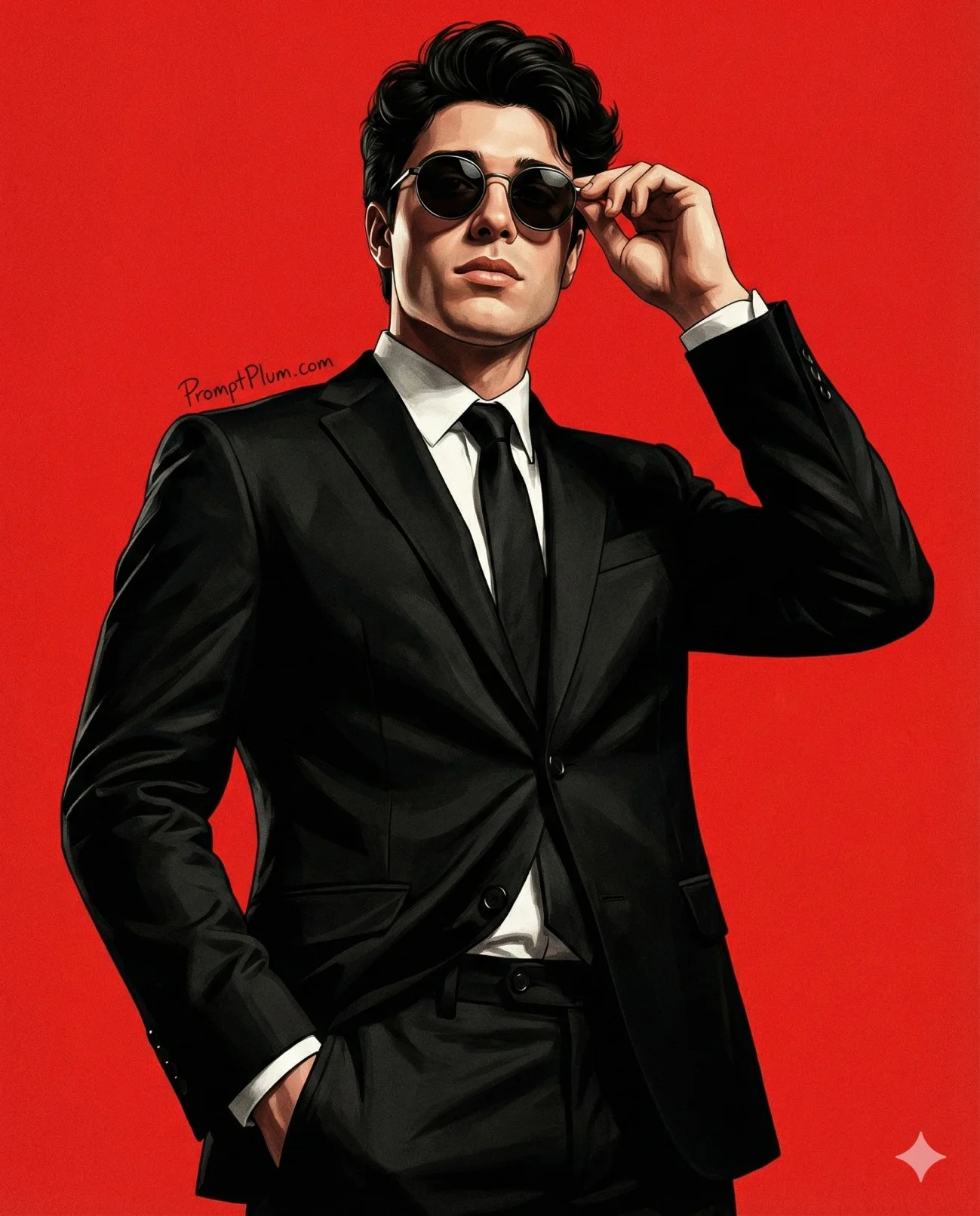
Render the referenced young man as a high-quality semi-realistic digital illustration, locking his facial structure, proportions, complexion, jaw, nose, lips, and hairstyle without beautification or identity drift. Give him short neatly styled dark hair, round dark-tinted metal-frame sunglasses with subtle reflections, and a calm, authoritative expression.

Dress him in a sharply tailored black suit jacket, crisp white shirt, and solid black tie. One hand remains in a trouser pocket while the other adjusts or holds the glasses near his face. From an ultra-low cinematic 35mm viewpoint, pose him chest-forward with controlled power, relaxed shoulders, and head slightly raised. Strong side light sculpts his face and suit through deep intentional shadow and sharp highlight.

Fill the 4:5 frame with a vibrant solid-red background carrying faint canvas/paper texture and no objects. Use refined graphic-novel brushwork, subtle grit, noir contrast, ultra-sharp detail, and polished movie-poster finish. Remove the floating source-site sign completely; add no substitute attribution, text, or branding.

Avoid cartoon or anime treatment, flat illustration, soft focus, blur, weak contrast, washed color, plastic or over-smoothed skin, exaggerated features, changed identity, distortion, bad anatomy, extra limbs, poor illumination, and low resolution.
How to use this prompt
Paste the complete prompt into Gemini, ChatGPT. Add any required reference image, generate the first version without rewriting the source prompt, and then request one precise revision at a time.
Best AI model
Gemini, ChatGPT is the model identified by the original source page for this prompt.
Tips for better results
• Attach a clear, well-lit reference image and state which identity details must remain unchanged.
• Keep the requested 4:5 framing during revisions.
• Preserve the specified lighting direction and contrast before changing wardrobe, pose, or background.
• Check generated typography carefully and regenerate only the text area if lettering is inaccurate.
• Generate the complete prompt first, then refine one visual detail per revision.
Frequently Asked Questions
What does “Agent in Red” create?
It creates the subject, composition, and visual treatment described in the original prompt.
Which model should I use?
The source identifies Gemini, ChatGPT; follow the prompt's own model and reference-image requirements.
Can I customize the result?
Yes. Generate the original prompt first, then change one detail at a time while preserving the core composition.