Brazil Football Player Kicking Ball Action Prompt
Prompt
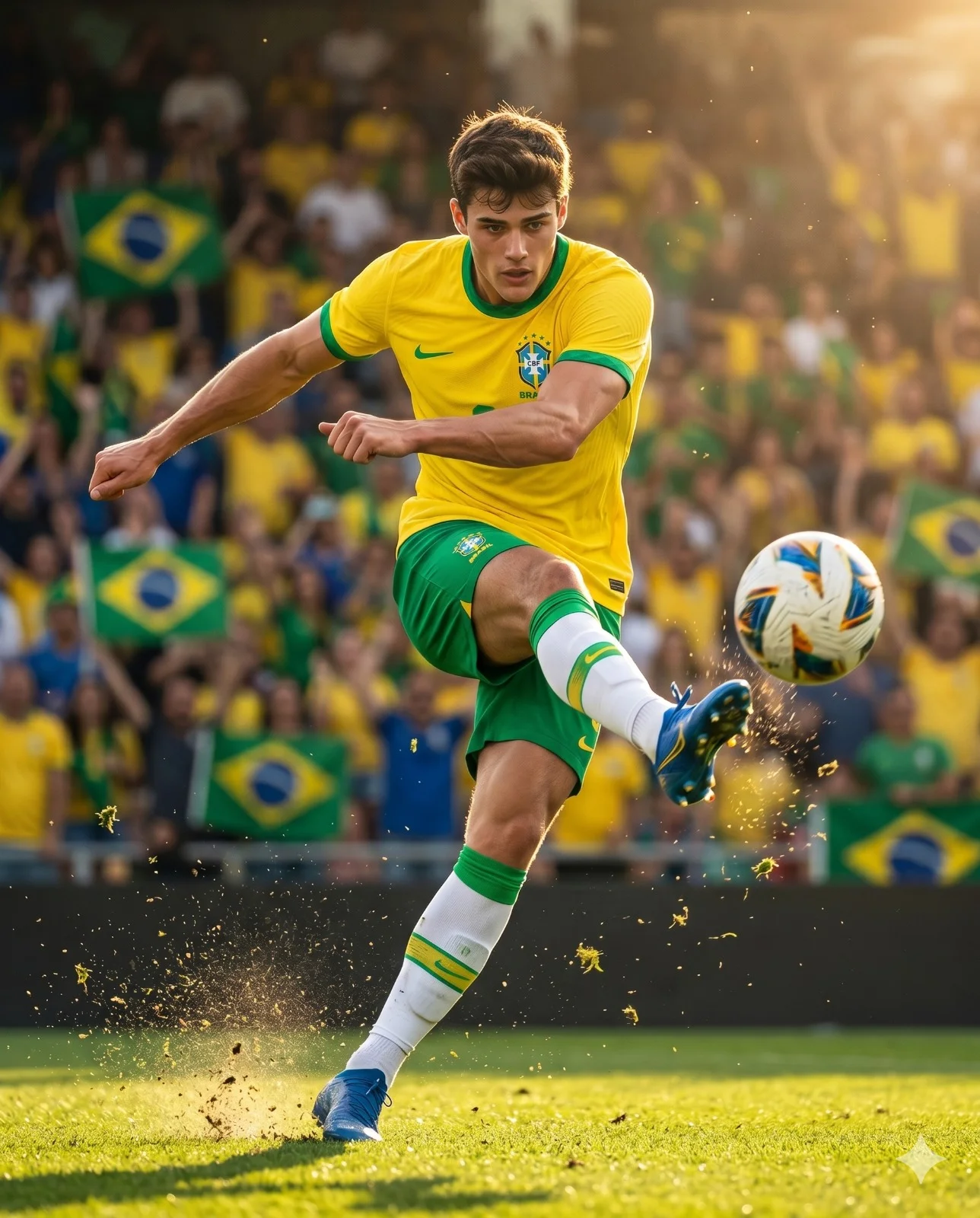
Create a dynamic, ultra-realistic sports action photograph of an elite football player wearing the Brazil national team kit, captured at the precise moment of striking a football during a professional match. Full-body vertical composition, low-angle perspective, emphasizing athletic power, speed, and explosive movement. The player is positioned centrally in the frame, wearing Brazil’s iconic bright yellow jersey with green trim, green shorts, white knee-high socks with green and yellow accents, and blue football boots. His support leg is firmly planted on the turf while the kicking leg swings through with tremendous force, moments after contact with the ball. His arms are naturally extended for balance, highlighting muscular definition, tension, and athletic form.
The football is shown in motion immediately after impact, traveling away from the player. Dirt, grass, turf fragments, and tiny debris erupt from the ground around the planted foot and striking zone, creating a dramatic sense of energy and realism. Subtle motion blur is applied to the kicking leg and ball to enhance speed, while the player’s face remains razor-sharp, displaying intense concentration and determination. His eyes are locked on the ball, and his windswept hair adds to the dynamic movement of the scene.
Background: A packed football stadium filled with passionate supporters dressed in Brazil’s national colors. Brazilian flags are visible throughout the crowd. The spectators, banners, and stadium architecture are softly blurred through a shallow depth of field, creating strong subject separation while maintaining the atmosphere of a major international football match.
Lighting: Dramatic golden-hour sunlight streams from the upper-left corner of the frame, producing warm cinematic backlighting and a radiant glow across the scene. Strong rim lighting outlines the player’s hair, shoulders, arms, and jersey edges. Floating dust particles, illuminated grass fragments, and tiny airborne debris catch the sunlight, creating sparkling highlights throughout the image. Rich golden tones, realistic shadows, vibrant color contrast, and natural lens flare enhance the cinematic atmosphere.
Style: Hyper-realistic sports photography, FIFA World Cup atmosphere, cinematic action shot, professional sports advertising campaign, ultra-detailed textures, realistic fabric folds, visible jersey stitching, photorealistic skin detail, high dynamic range, sharp focus on the athlete, shallow depth of field, premium editorial sports aesthetic, dramatic and inspiring mood, 8K resolution, masterpiece quality.
Camera & Composition: Full-body vertical framing, low-angle field-level viewpoint, telephoto sports lens, fast shutter speed, professional sports photography, cinematic depth, realistic perspective, highly detailed grass texture, immersive stadium environment.
Aspect Ratio: 4:5.
How to use this prompt
Paste the complete prompt into Gemini. Add any required reference image, generate the first version without rewriting the source prompt, and then request one precise revision at a time.
Best AI model
Gemini is the model identified by the original source page for this prompt.
Tips for better results
• Keep the requested 4:5 framing during revisions.
• Preserve the specified lighting direction and contrast before changing wardrobe, pose, or background.
• Generate the complete prompt first, then refine one visual detail per revision.
• Keep the core subject and composition consistent while comparing variations.
Frequently Asked Questions
What does “FIFA Mid-Air Connection” create?
It creates the subject, composition, and visual treatment described in the original prompt.
Which model should I use?
The source identifies Gemini; follow the prompt's own model and reference-image requirements.
Can I customize the result?
Yes. Generate the original prompt first, then change one detail at a time while preserving the core composition.