

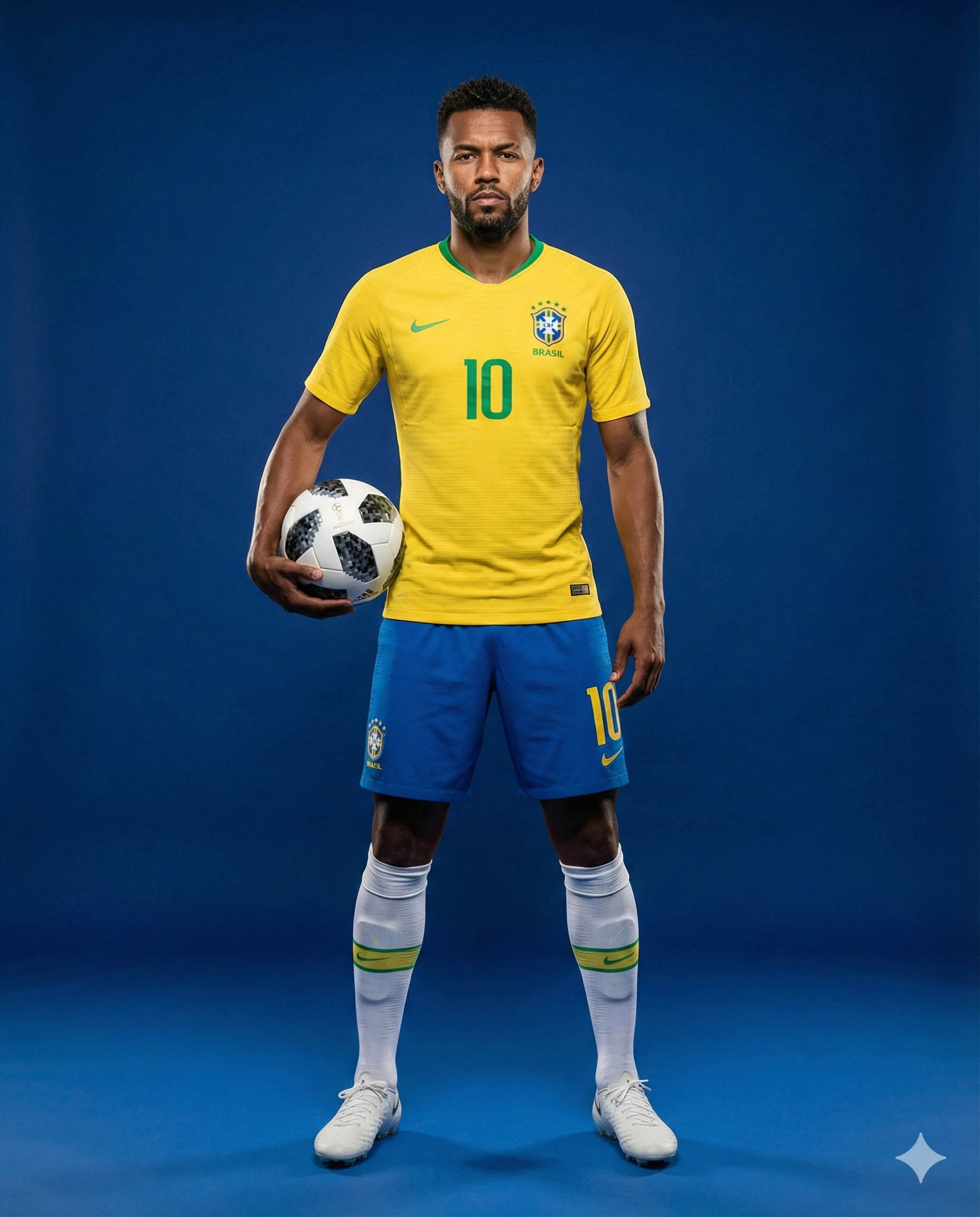
Brazil Number 10 Footballer Studio Portrait Prompt
Prompt
Create a full-body, ultra-realistic 4K studio portrait of a professional male football player standing centered against a seamless deep royal-blue studio background. The image should have a clean, high-end professional sports advertising aesthetic.
The athlete has a well-defined athletic build. His skin tone, hair color, hairstyle, facial structure, and beard (if present) must match the reference image exactly, preserving identity consistency. His expression is serious, focused, and confident, conveying the presence of a professional athlete.
Wardrobe:

The player is wearing a Brazil home football kit consisting of:
Yellow jersey with green trim and the number 10
Blue shorts with the number 10
White knee-high socks with green accents
White football cleats
He holds a white soccer ball with black geometric patterns tucked naturally under his right arm.
Pose:

The subject stands in a strong hero stance, feet shoulder-width apart, body upright and symmetrical, facing directly toward the camera. Arms relaxed, posture confident and balanced, conveying strength and professionalism without exaggeration.
Composition:

Full-body long shot
Subject centered both vertically and horizontally
Slight negative space above the head and below the feet
Poster-style composition
Vertical framing
Clean, distraction-free studio background
Lighting & Style:

Professional sports advertising photography with soft, controlled studio lighting, subtle rim lighting to separate the subject from the background, sharp focus, ultra-realistic detail, natural skin tones, and vibrant but realistic colors.
Aspect Ratio: 4:5
How to use this prompt
Paste the complete prompt into Gemini. Add any required reference image, generate the first version without rewriting the source prompt, and then request one precise revision at a time.
Best AI model
Gemini is the model identified by the original source page for this prompt.
Tips for better results
• Attach a clear, well-lit reference image and state which identity details must remain unchanged.
• Keep the requested 4:5 framing during revisions.
• Preserve the specified lighting direction and contrast before changing wardrobe, pose, or background.
• Generate the complete prompt first, then refine one visual detail per revision.
• Keep the core subject and composition consistent while comparing variations.
Frequently Asked Questions
What does “The Brazilian Number 10” create?
It creates the subject, composition, and visual treatment described in the original prompt.
Which model should I use?
The source identifies Gemini; follow the prompt's own model and reference-image requirements.
Can I customize the result?
Yes. Generate the original prompt first, then change one detail at a time while preserving the core composition.



