Classic Black Tuxedo Studio Portrait AI Prompt
Prompt
Use the uploaded photo strictly only for the subject’s facial identity and natural features. Preserve the person’s face shape, skin tone, facial proportions, natural hair or baldness, and overall likeness.
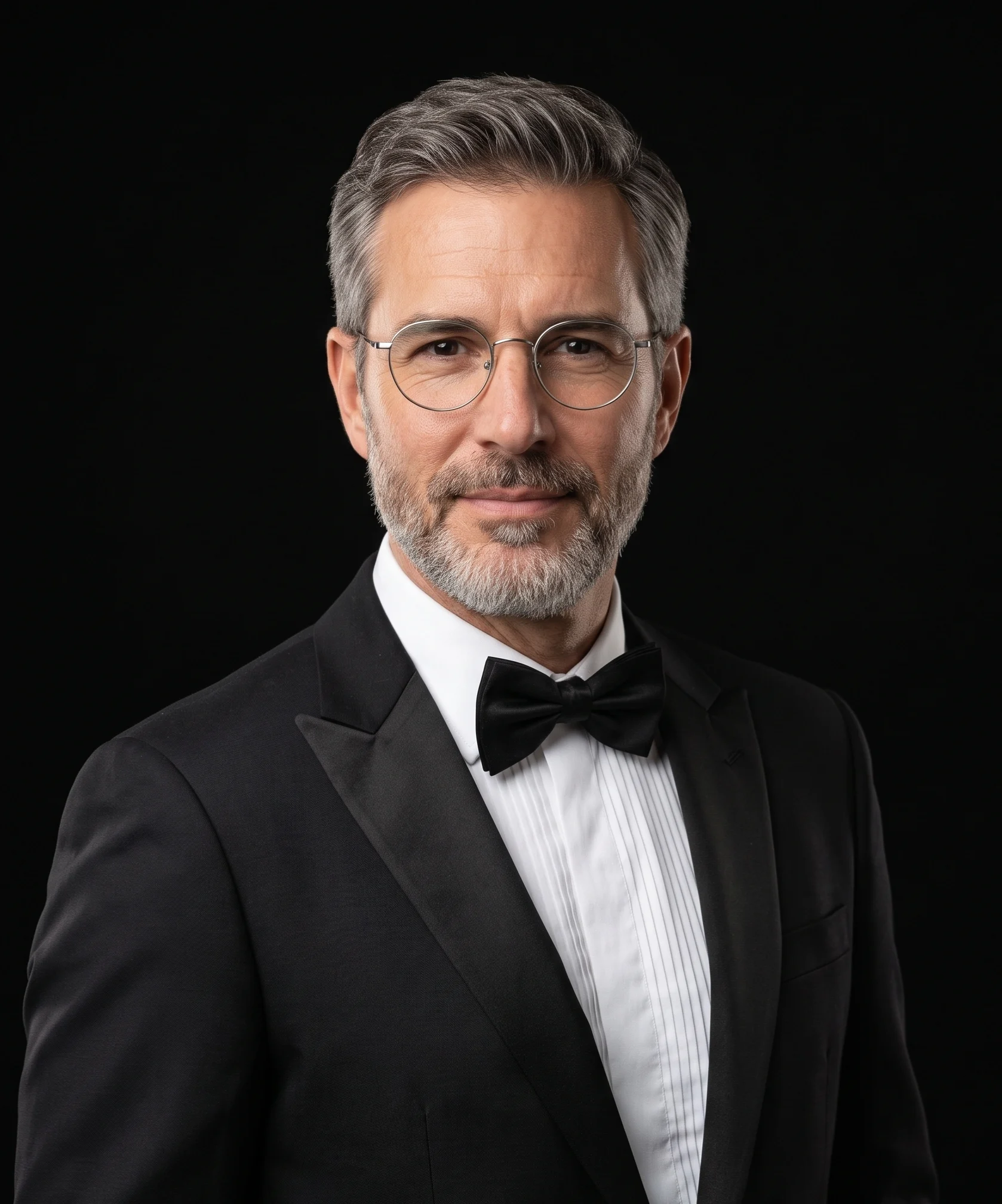
Create an ultra-realistic formal studio portrait of the subject wearing a classic black tuxedo with satin peak lapels, a crisp white pleated tuxedo shirt, a neat black bow tie, and thin round metal-frame eyeglasses.
Show the subject in a vertical 4:5 portrait with a chest-up composition, matching the original framing closely. Keep the subject slightly relaxed and naturally posed, facing the camera with a subtle natural body angle rather than a stiff straight-on passport pose. Maintain balanced headroom and comfortable negative space around the head and shoulders.
Expression should be soft, calm, and professional, with relaxed facial muscles and a gentle, subtle smile. Do not show a broad toothy grin or an overly cheerful expression. The mood should feel polished, formal, approachable, and professional.
Use a seamless pure black studio background with no distractions. Lighting should be soft and professional, coming slightly from the front and above, evenly illuminating the face with gentle natural shadow depth on the jawline, ears, tuxedo, and bow tie. Render realistic skin texture, crisp eyeglass details, fine tuxedo fabric texture, clean shirt pleats, and a premium high-end studio portrait finish. Sharp focus on the face and eyes, photorealistic detail, elegant black-background portrait, aspect ratio 4:5.
How to use this prompt
Paste the complete prompt into Gemini. Add any required reference image, generate the first version without rewriting the source prompt, and then request one precise revision at a time.
Best AI model
Gemini is the model identified by the original source page for this prompt.
Tips for better results
• Attach a clear, well-lit reference image and state which identity details must remain unchanged.
• Keep the requested 4:5 framing during revisions.
• Preserve the specified lighting direction and contrast before changing wardrobe, pose, or background.
• Generate the complete prompt first, then refine one visual detail per revision.
• Keep the core subject and composition consistent while comparing variations.
Frequently Asked Questions
What does “Tuxedo on Black” create?
It creates the subject, composition, and visual treatment described in the original prompt.
Which model should I use?
The source identifies Gemini; follow the prompt's own model and reference-image requirements.
Can I customize the result?
Yes. Generate the original prompt first, then change one detail at a time while preserving the core composition.