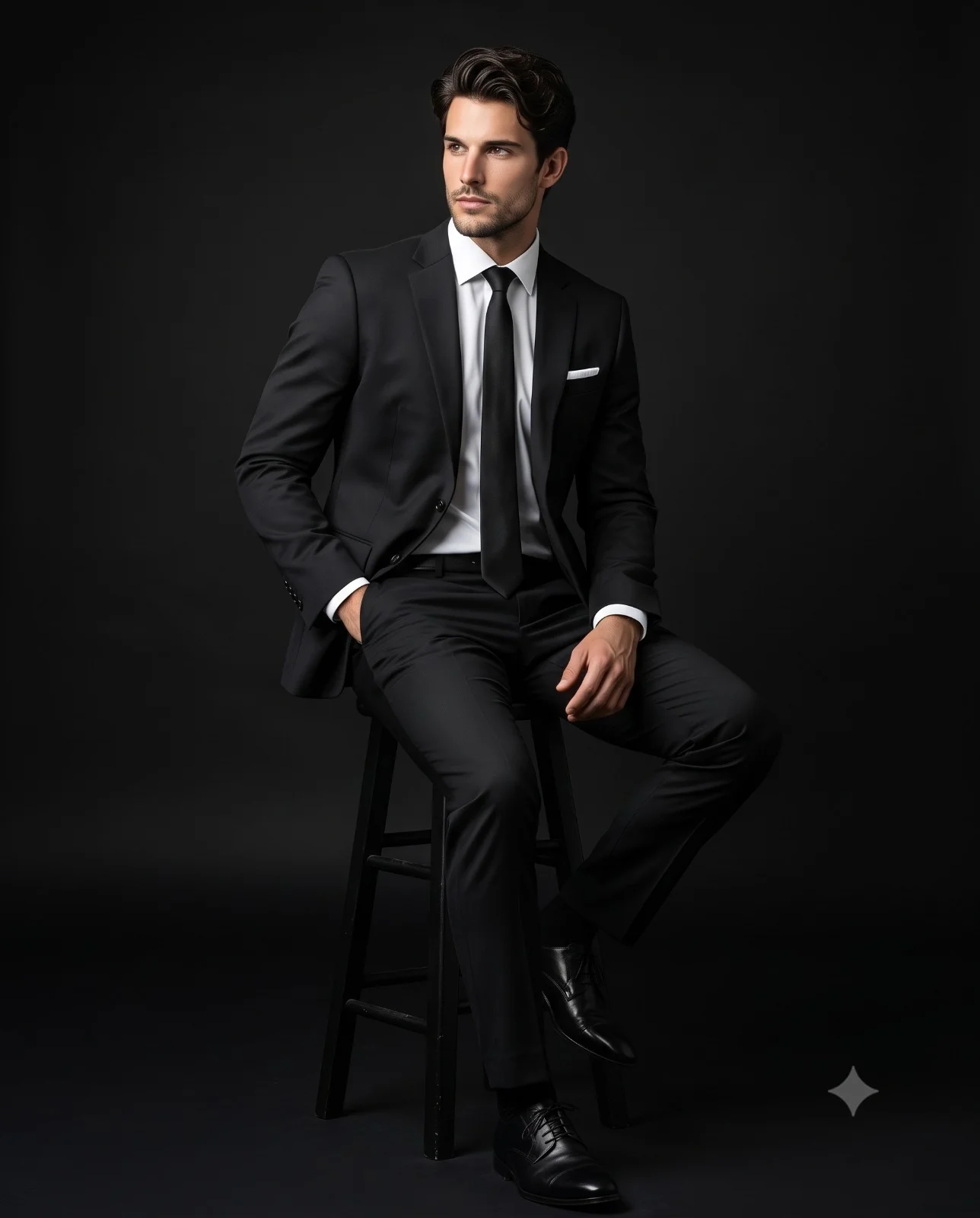
Seated Man in Black Suit Studio Portrait Prompt
Prompt
Create a sophisticated studio fashion portrait of a handsome man seated on a black wooden stool, wearing a perfectly tailored black two-piece suit with a crisp white dress shirt, slim black necktie, white pocket square, black tailored trousers, and polished black leather dress shoes paired with black socks. He is seated in a relaxed yet confident pose, body angled slightly to the left, left hand resting inside his trouser pocket, right hand placed naturally on his thigh, looking off-camera to the left with a calm, serious, and contemplative expression. Captured in a full-body shot at eye-level with a minimalist black seamless studio background featuring a subtle gradient. Dramatic cinematic Rembrandt lighting from the left creates soft highlights and deep shadows, emphasizing facial structure and the premium fabric texture of the suit. Luxury editorial fashion photography, ultra-photorealistic, natural skin tones, high contrast, shallow depth of field, razor-sharp focus, 85mm lens, f/1.8, ISO 100, 8K resolution, HDR, premium men's tailoring campaign, no text, no watermark, distortion-free, realistic skin. Aspect ratio 4:5.
How to use this prompt
Paste the complete prompt into Gemini. Add any required reference image, generate the first version without rewriting the source prompt, and then request one precise revision at a time.
Best AI model
Gemini is the model identified by the original source page for this prompt.
Tips for better results
• Keep the requested 4:5 framing during revisions.
• Preserve the specified lighting direction and contrast before changing wardrobe, pose, or background.
• Check generated typography carefully and regenerate only the text area if lettering is inaccurate.
• Generate the complete prompt first, then refine one visual detail per revision.
• Keep the core subject and composition consistent while comparing variations.
Frequently Asked Questions
What does “Shadows and Sharpness” create?
It creates the subject, composition, and visual treatment described in the original prompt.
Which model should I use?
The source identifies Gemini; follow the prompt's own model and reference-image requirements.
Can I customize the result?
Yes. Generate the original prompt first, then change one detail at a time while preserving the core composition.