Rose Day Couple with Red Heart Greeting Prompt
Prompt
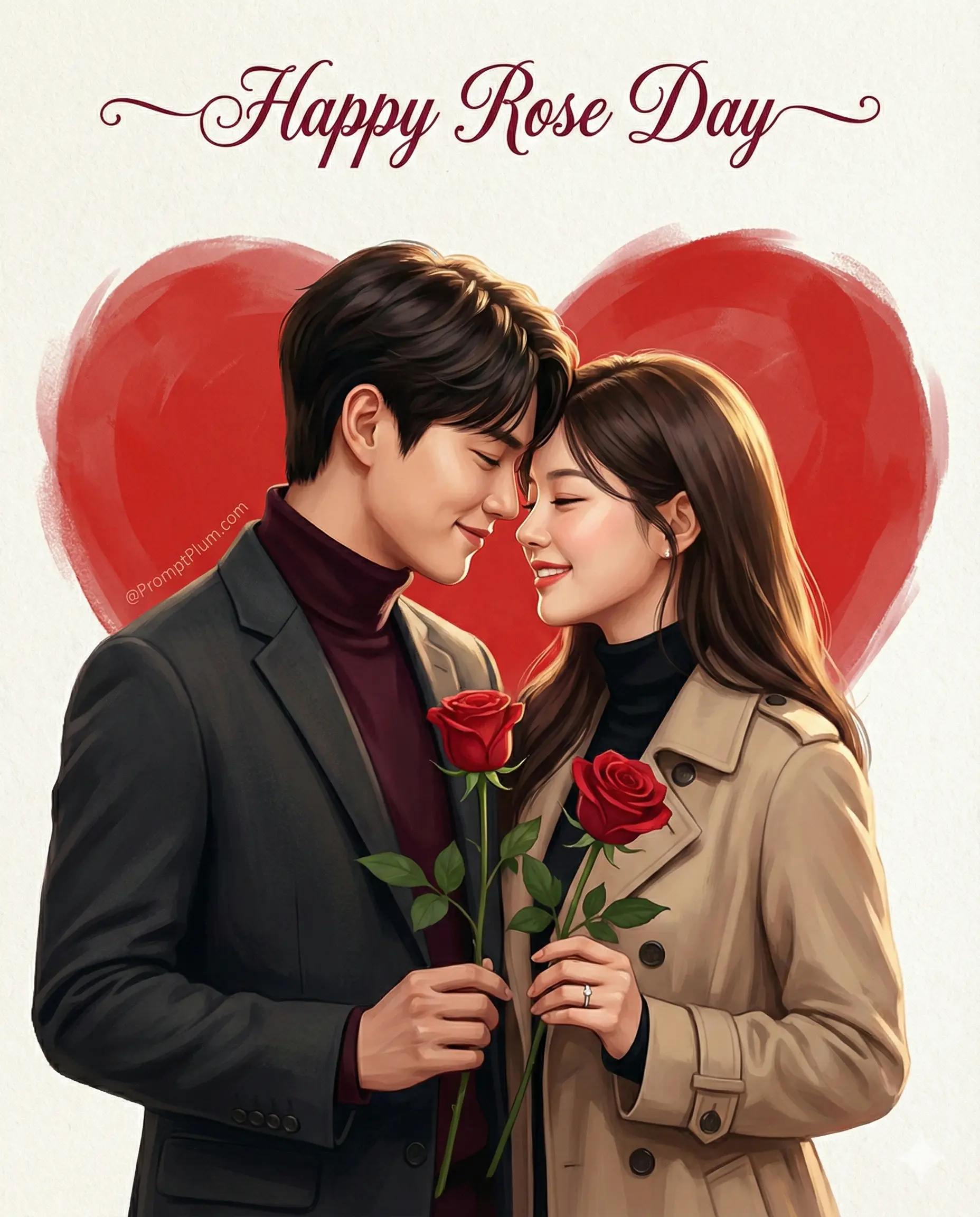
Design a premium Rose Day greeting at 4:5, combining semi-real digital painting with watercolor or acrylic softness. Lock both identities to their real ages, bone structure, proportions, complexion, eyes, gaze, nose, lips, jaw, cheeks, hairline, hairstyle, and density. Keep faces highly recognizable without beautification, age shifts, stylized anatomy, or identity drift.

Pose the couple before a large softly brushed red heart. At left, angle the man toward his partner in a charcoal blazer and burgundy turtleneck, retaining a groomed beard when present. At right, dress the woman in a beige trench over a black turtleneck, with a silver or white-gold ring visible on her ring finger. Their foreheads touch and both smile gently. Give each one opened long-stem red rose with green foliage, placed symmetrically below.

Use pale-cream cold-press paper. Light softly from upper-right and balance deep red, burgundy, beige, charcoal, and warm complexion values. Keep faces and hairs detailed, clothing smoother, and the heart painterly. At top center write “Happy Rose Day” in flowing deep-red or dark-mahogany script with decorative capitals. Output at 4K and include no source credit, promotional mark, or watermark.
How to use this prompt
Paste the complete prompt into Gemini. Add any required reference image, generate the first version without rewriting the source prompt, and then request one precise revision at a time.
Best AI model
Gemini is the model identified by the original source page for this prompt.
Tips for better results
• Attach a clear, well-lit reference image and state which identity details must remain unchanged.
• Keep the requested 4:5 framing during revisions.
• Preserve the specified lighting direction and contrast before changing wardrobe, pose, or background.
• Check generated typography carefully and regenerate only the text area if lettering is inaccurate.
• Generate the complete prompt first, then refine one visual detail per revision.
Frequently Asked Questions
What does “Rose Day Romance” create?
It creates the subject, composition, and visual treatment described in the original prompt.
Which model should I use?
The source identifies Gemini; follow the prompt's own model and reference-image requirements.
Can I customize the result?
Yes. Generate the original prompt first, then change one detail at a time while preserving the core composition.