Romantic Double Exposure Couple Profile Prompt
Prompt
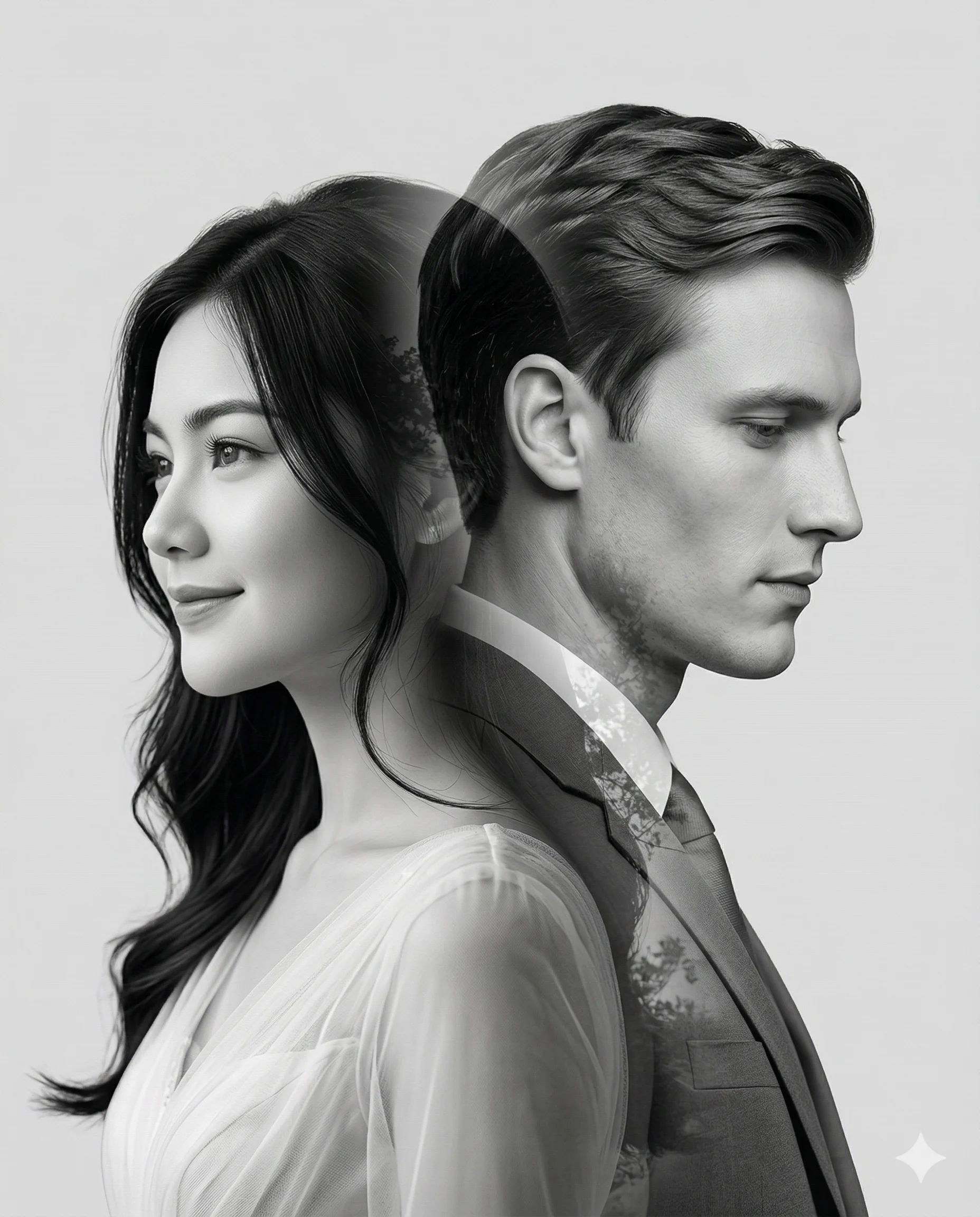
Create an artistic and emotionally powerful grey-and-white prewedding photograph using a refined double exposure technique.
The composition features two merged profile portraits forming a single harmonious silhouette.
On the left side, the woman is shown in an elegant side profile, facing left. Her hair is styled softly with natural flow (loose waves or gently tucked behind the ear). She wears a modest, refined bridal gown with delicate fabric textures. Her expression carries a gentle, sincere smile with soft, hopeful eyes.
On the right side, the man appears in a side profile facing right, with his gaze slightly lowered. His expression is calm and filled with quiet admiration and love. He is dressed in a well-tailored formal suit.
Both profiles blend seamlessly into each other, creating a romantic and balanced double exposure effect. The edges should merge smoothly without harsh transitions, forming a unified silhouette.
The background is clean, light gray with faint hints of natural scenery subtly visible within the exposure. Lighting is soft yet dramatic, enhancing facial contours, hair texture, and gentle shadows to emphasize depth and emotion.
Style should feel like a timeless studio portrait with a modern artistic touch — highly detailed, clean, and natural, avoiding any artificial or overly processed look.
--grey and white --double exposure --high detail --emotional --studio style --aspect ratio 4:5
How to use this prompt
Paste the complete prompt into Gemini. Add any required reference image, generate the first version without rewriting the source prompt, and then request one precise revision at a time.
Best AI model
Gemini is the model identified by the original source page for this prompt.
Tips for better results
• Keep the requested 4:5 framing during revisions.
• Preserve the specified lighting direction and contrast before changing wardrobe, pose, or background.
• Generate the complete prompt first, then refine one visual detail per revision.
• Keep the core subject and composition consistent while comparing variations.
Frequently Asked Questions
What does “The Weighted Bloom” create?
It creates the subject, composition, and visual treatment described in the original prompt.
Which model should I use?
The source identifies Gemini; follow the prompt's own model and reference-image requirements.
Can I customize the result?
Yes. Generate the original prompt first, then change one detail at a time while preserving the core composition.