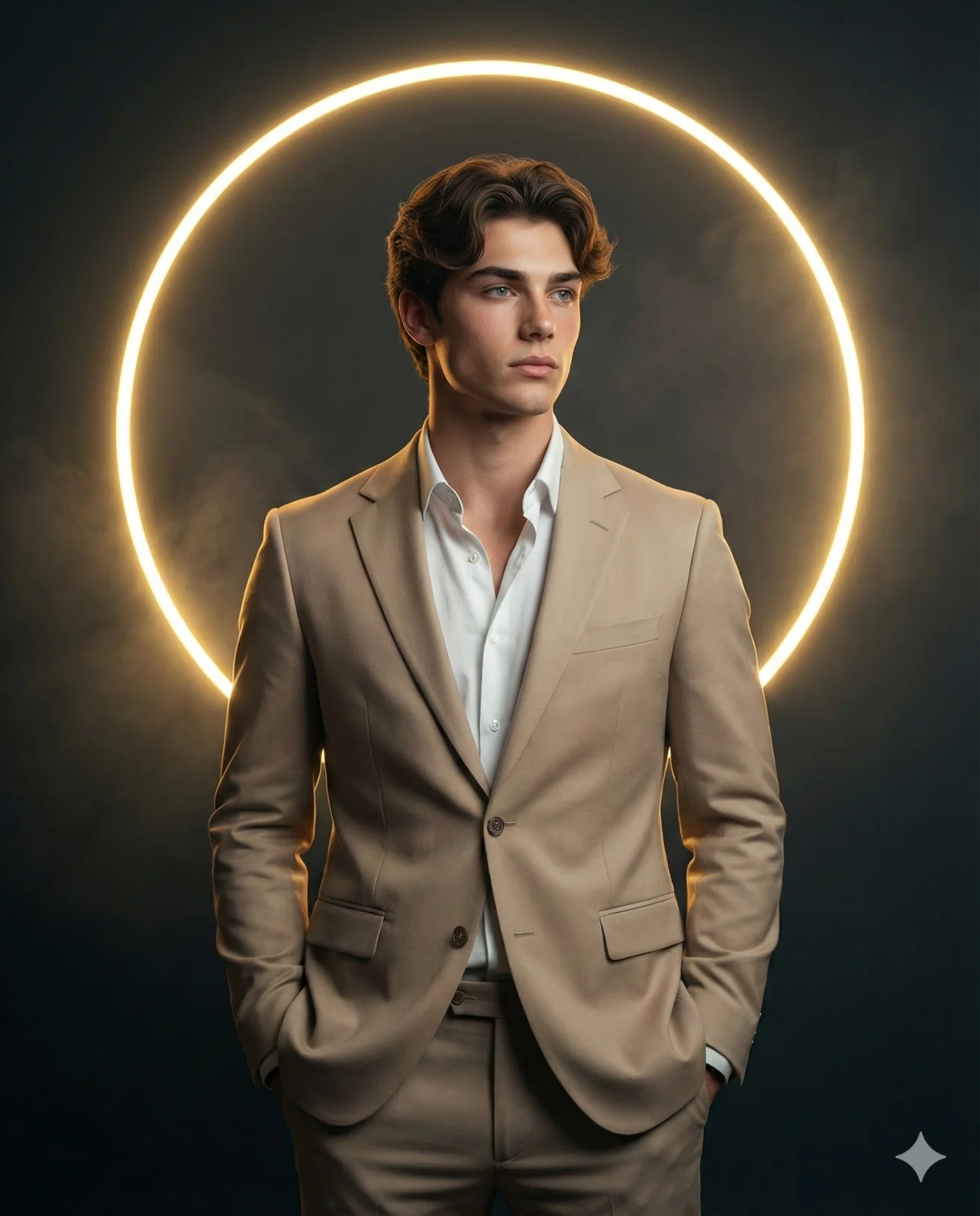
Man in Tan Suit with Glowing Halo Portrait
Prompt
Use the uploaded image as a visual reference for the subject’s facial structure and overall appearance. Preserve natural proportions, skin tone, hairline, and expression without altering or beautifying.
Create a hyper-realistic, cinematic mid-shot (waist-up) portrait of a man standing against a dark, minimalist background.

Subject & Pose
Male figure based on the uploaded reference face
Hands casually placed in the suit pockets
Body facing forward, head turned slightly to the right of the frame
Calm, contemplative expression
Relaxed yet confident posture
Wardrobe
Sharp, tailored beige two-piece suit
White open-collar shirt (no tie)
Clean, modern, sophisticated styling
Background & Composition
A large, perfectly circular glowing neon ring in yellow-orange directly behind the subject
The ring forms a halo effect around the head and shoulders
Subtle atmospheric haze for depth
Vertical portrait composition
Subject slightly off-center to emphasize the glowing geometric element
Lighting
Soft cinematic key light from the front-right sculpting the face and suit textures
Neon ring acts as a strong backlight and rim light, creating a warm edge glow
Gentle volumetric light beams and soft haze for a dramatic, cinematic feel
Style & Quality
Hyper-realistic
8K detail
Professional studio portrait look
Sharp focus
Highly detailed fabric, skin, and hair textures
Clean, cinematic color grading
Aspect ratio 4:5
How to use this prompt
Paste the complete prompt into Gemini, ChatGPT. Add any required reference image, generate the first version without rewriting the source prompt, and then request one precise revision at a time.
Best AI model
Gemini, ChatGPT is the model identified by the original source page for this prompt.
Tips for better results
• Attach a clear, well-lit reference image and state which identity details must remain unchanged.
• Keep the requested 4:5 framing during revisions.
• Preserve the specified lighting direction and contrast before changing wardrobe, pose, or background.
• Generate the complete prompt first, then refine one visual detail per revision.
• Keep the core subject and composition consistent while comparing variations.
Frequently Asked Questions
What does “The Modern Icon” create?
It creates the subject, composition, and visual treatment described in the original prompt.
Which model should I use?
The source identifies Gemini, ChatGPT; follow the prompt's own model and reference-image requirements.
Can I customize the result?
Yes. Generate the original prompt first, then change one detail at a time while preserving the core composition.