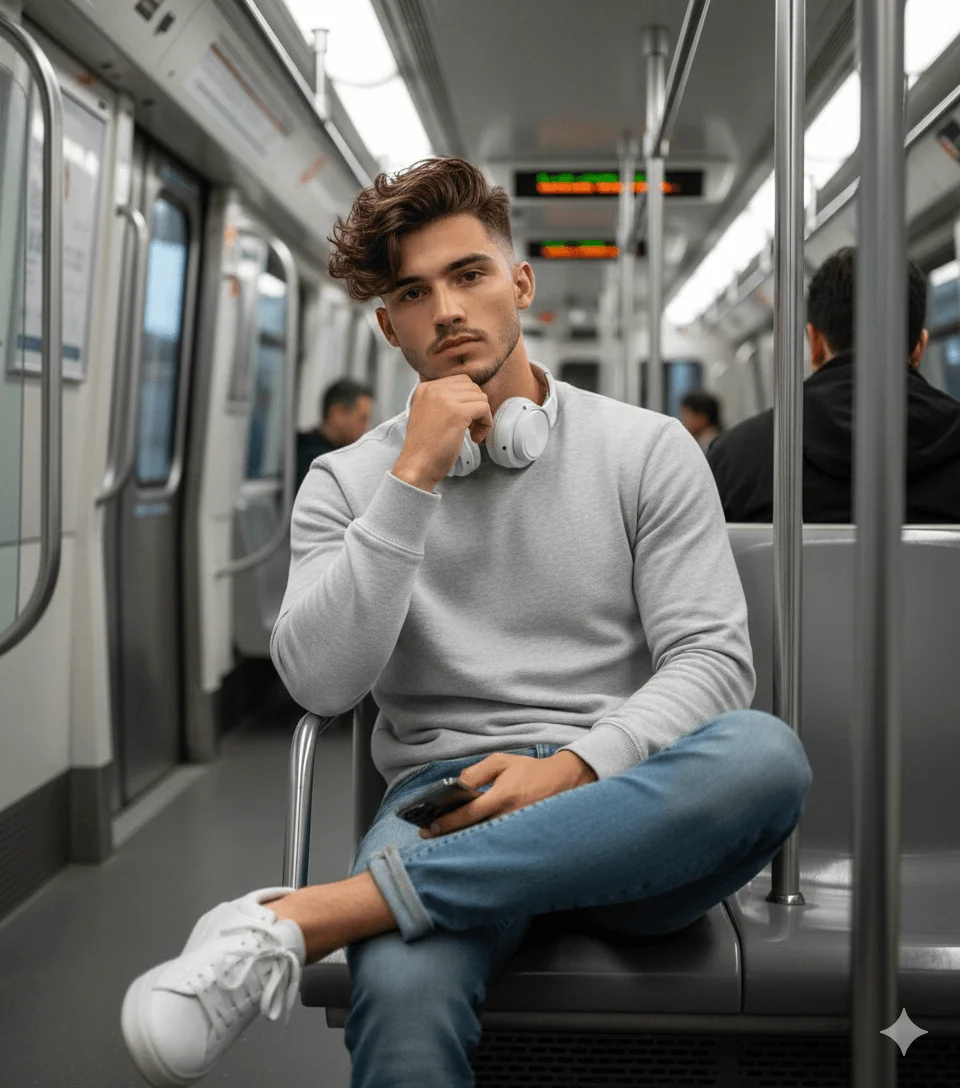
Man Seated Thoughtfully inside Modern Metro Prompt
Prompt
Use the uploaded reference image strictly as the only face reference, preserving exact facial structure, hairstyle, skin tone, and identity without any alteration. Create an ultra-realistic, medium-shot portrait of a man seated inside a modern metro train, framed in a centered, eye-level composition. He sits in a relaxed cross-legged pose with one ankle over the opposite knee, left elbow resting on the armrest with his hand supporting his chin, while his right hand holds a smartphone on his lap. His expression is calm, confident, and slightly introspective with a near-direct gaze. He wears a light grey fitted sweatshirt, slim blue jeans, clean white sneakers, and white over-ear headphones around his neck, reflecting a modern urban style. The environment features a clean metro interior with metallic poles, overhead lights, and soft motion blur through the windows, with no people in the foreground or background. Lighting is soft and diffused from above, creating even illumination with gentle shadows. Shot on a 50mm lens with shallow depth of field, sharp facial focus, natural skin texture, high dynamic range, and ultra-realistic 8K cinematic editorial quality. Aspect ratio 4:5.
How to use this prompt
Paste the complete prompt into Gemini. Add any required reference image, generate the first version without rewriting the source prompt, and then request one precise revision at a time.
Best AI model
Gemini is the model identified by the original source page for this prompt.
Tips for better results
• Attach a clear, well-lit reference image and state which identity details must remain unchanged.
• Keep the requested 4:5 framing during revisions.
• Preserve the specified lighting direction and contrast before changing wardrobe, pose, or background.
• Generate the complete prompt first, then refine one visual detail per revision.
• Keep the core subject and composition consistent while comparing variations.
Frequently Asked Questions
What does “The Look of the Moment” create?
It creates the subject, composition, and visual treatment described in the original prompt.
Which model should I use?
The source identifies Gemini; follow the prompt's own model and reference-image requirements.
Can I customize the result?
Yes. Generate the original prompt first, then change one detail at a time while preserving the core composition.