Happy New Year 2026 Neon Portrait Prompt
Prompt
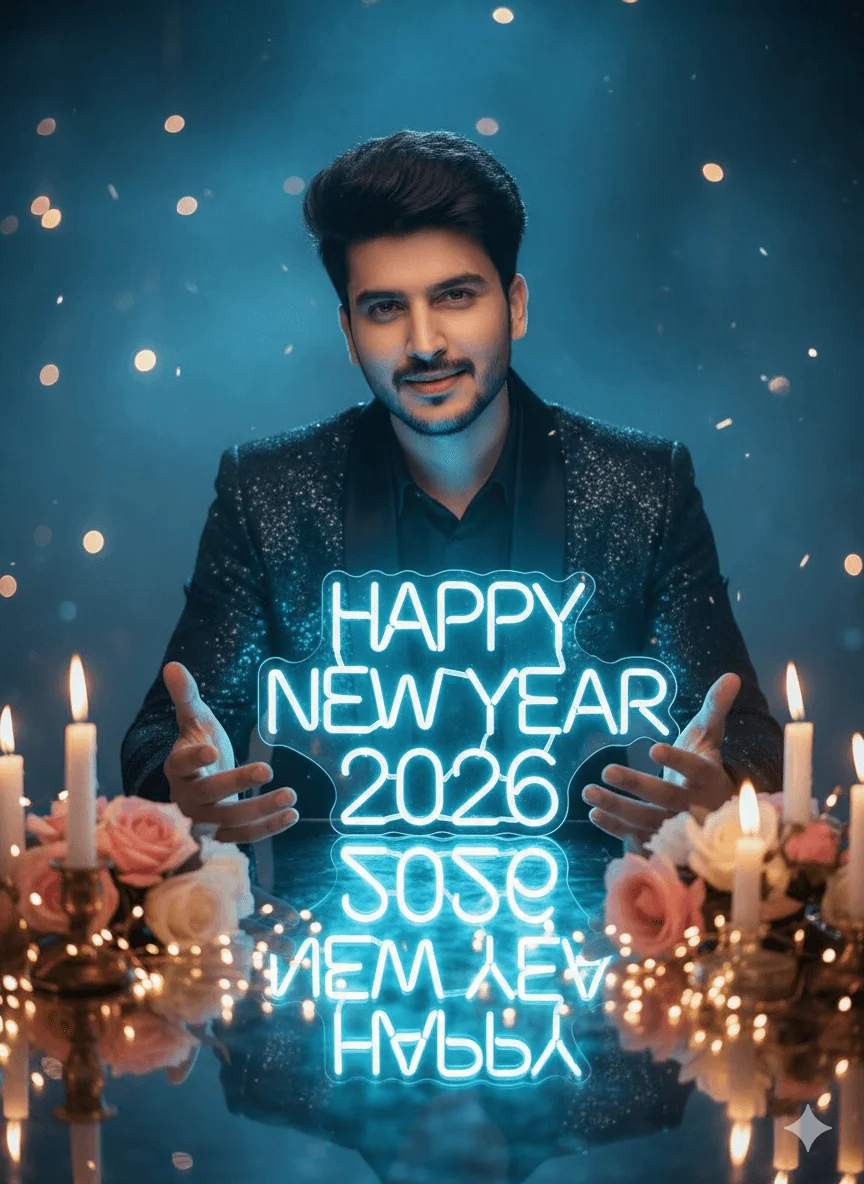
A highly cinematic, ultra-realistic New Year portrait of me (use uploaded face — 100% facial accuracy, no changes). I am sitting at a beautifully decorated table surrounded by soft candlelight, pastel roses, and warm golden bokeh lights. In front of me, large glowing neon text “Happy New Year 2026” shines in bright icy-blue light, illuminating my face naturally. I wear a classy dark festive outfit with a subtle shimmer that reflects the neon glow. My posture is relaxed and confident — both hands gently open forward as if presenting the glowing “2026” text. My expression is warm and welcoming, with soft cinematic lighting defining my face. Background features dreamy blue ambience, floating soft lights, gentle haze, and a magical celebration atmosphere. Sharp foreground candles, creamy bokeh, neon reflections, glossy table surface, hyper-detail skin texture, realistic depth-of-field. No text added other than “2026” and “Happy New Year.” 8K DSLR clarity, cinematic tone, viral portrait style.
How to use this prompt
Paste the complete prompt into a modern image model. Add any required reference image, generate the first version without rewriting the source prompt, and then request one precise revision at a time.
Best AI model
Use a modern image model that supports the instructions and reference-image workflow described in the prompt.
Tips for better results
• Attach a clear, well-lit reference image and state which identity details must remain unchanged.
• Preserve the specified lighting direction and contrast before changing wardrobe, pose, or background.
• Check generated typography carefully and regenerate only the text area if lettering is inaccurate.
• Generate the complete prompt first, then refine one visual detail per revision.
• Keep the core subject and composition consistent while comparing variations.
Frequently Asked Questions
What does “New Year Portrait Glow” create?
It creates the subject, composition, and visual treatment described in the original prompt.
Which model should I use?
The source identifies a modern image model; follow the prompt's own model and reference-image requirements.
Can I customize the result?
Yes. Generate the original prompt first, then change one detail at a time while preserving the core composition.