Ivory Double Breasted Suit Male Portrait Prompt
Prompt
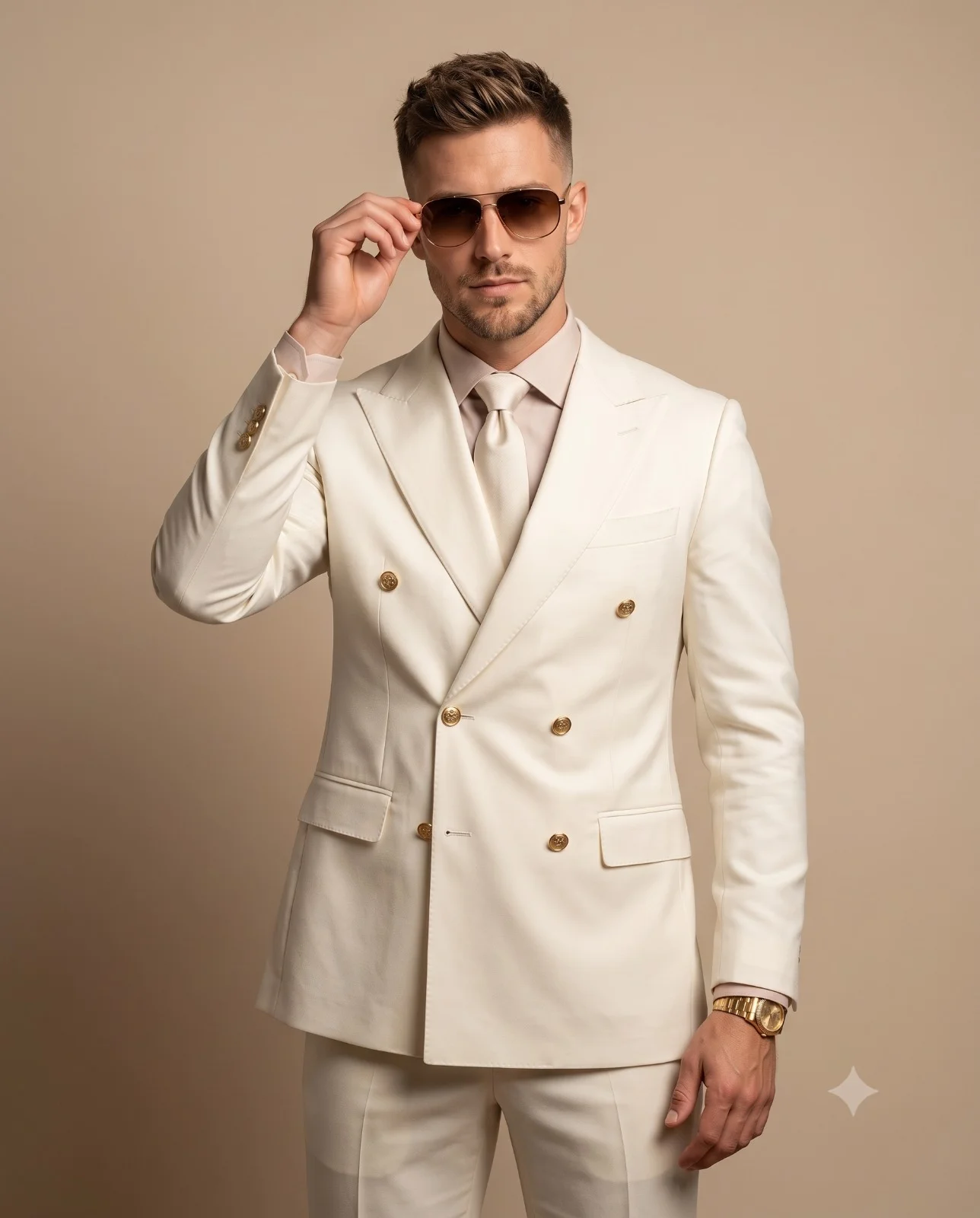
Create a hyper-realistic luxury fashion portrait of a confident, handsome man(face match) standing in a clean studio, wearing a perfectly tailored ivory double-breasted suit with gold buttons, matching ivory trousers, a light blush dress shirt, and a matching ivory silk tie. He is wearing premium golden watch on right hand and luxury brown gradient sunglasses. His pose is confident and elegant, with his left hand adjusting the sunglasses while his right hand rests naturally by his side. He has, neatly styled hair, and a serious, commanding expression, looking directly at the camera. The background is a seamless warm beige studio backdrop with a subtle gradient and minimalist aesthetic. Soft, diffused studio lighting creates smooth shadows, natural skin tones, and luxurious fabric texture. Eye-level, mid-thigh portrait, centered composition with shallow depth of field, ultra-photorealistic, editorial fashion photography, HDR, 8K resolution, captured on a Sony A1 with an 85mm f/1.4 lens, razor-sharp focus, premium color grading, no text, no watermark, no distortion. Aspect ratio 4:5.
How to use this prompt
Paste the complete prompt into Gemini. Add any required reference image, generate the first version without rewriting the source prompt, and then request one precise revision at a time.
Best AI model
Gemini is the model identified by the original source page for this prompt.
Tips for better results
• Keep the requested 4:5 framing during revisions.
• Preserve the specified lighting direction and contrast before changing wardrobe, pose, or background.
• Check generated typography carefully and regenerate only the text area if lettering is inaccurate.
• Generate the complete prompt first, then refine one visual detail per revision.
• Keep the core subject and composition consistent while comparing variations.
Frequently Asked Questions
What does “Cream Double-Breasted Portrait” create?
It creates the subject, composition, and visual treatment described in the original prompt.
Which model should I use?
The source identifies Gemini; follow the prompt's own model and reference-image requirements.
Can I customize the result?
Yes. Generate the original prompt first, then change one detail at a time while preserving the core composition.