Creator Leaning on Giant Instagram Logo Prompt
Prompt
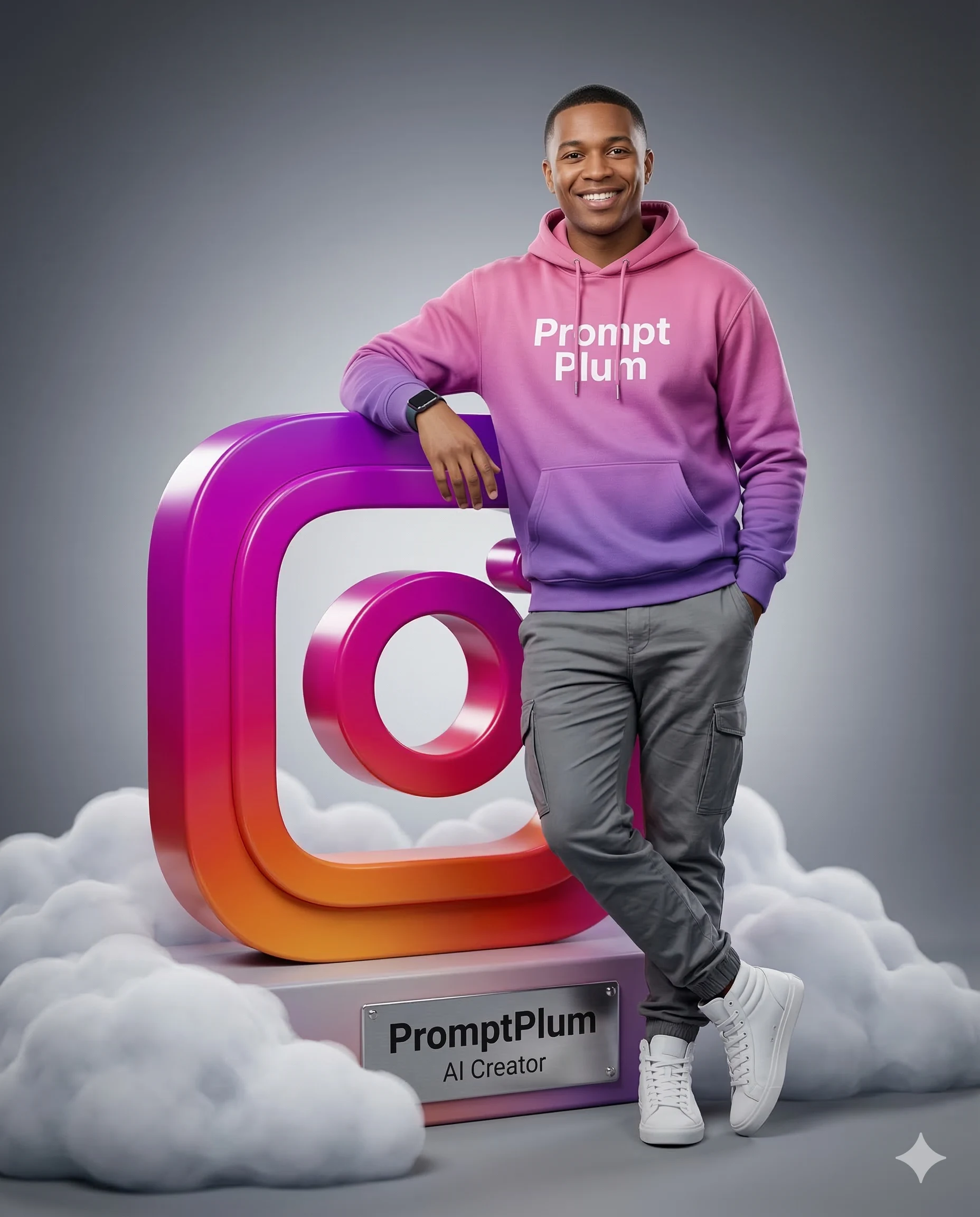
Create a 4:5 aspect-ratio, hyper-realistic 8k studio shot, captured with a 50mm lens at a slightly low angle, featuring a reference person smiling directly at the camera. The character is standing, with their left hand casually in their pocket and their right arm bent, leaning against a colossal, three-dimensional, stylized Instagram logo(rounded square camera symbol). The 'Instagram' logo is rendered in a official Instagram gradient colors transitioning from magenta → pink → purple → orange, exhibiting clean, sharp edges and a smooth, glossy texture. The character wears a pink-to-purple gradient hoodie with "Prompt Plum" emblazoned in white text across the chest, grey cargo pants with visible pockets and subtle creasing, and pristine white high-top sneakers. A dark smartwatch is visible on their right wrist. Character stands on the floor, while the giant 'Instagram' logo on a rectangular pink-to-purple gradient plinth, which is enveloped at its base by soft, volumetric white clouds, creating a dreamlike, ethereal effect. A metallic plaque is affixed to the front of the plinth, displaying the text "PromptPlum" and "Al Creator" in a clean sans-serif font. The scene is illuminated with cinematic studio lighting, featuring soft, even front lighting with subtle fill, and a gentle rim light highlighting the character's left side, casting soft, realistic shadows. The background is a clean, grey gradient, slightly darker on the outer sides, emphasizing the subject. Highly detailed textures are visible on the clothing, sneakers, and the polished surfaces of the logo and plaque.
How to use this prompt
Paste the complete prompt into Gemini. Add any required reference image, generate the first version without rewriting the source prompt, and then request one precise revision at a time.
Best AI model
Gemini is the model identified by the original source page for this prompt.
Tips for better results
• Attach a clear, well-lit reference image and state which identity details must remain unchanged.
• Preserve the specified lighting direction and contrast before changing wardrobe, pose, or background.
• Check generated typography carefully and regenerate only the text area if lettering is inaccurate.
• Generate the complete prompt first, then refine one visual detail per revision.
• Keep the core subject and composition consistent while comparing variations.
Frequently Asked Questions
What does “Instagram Creator” create?
It creates the subject, composition, and visual treatment described in the original prompt.
Which model should I use?
The source identifies Gemini; follow the prompt's own model and reference-image requirements.
Can I customize the result?
Yes. Generate the original prompt first, then change one detail at a time while preserving the core composition.