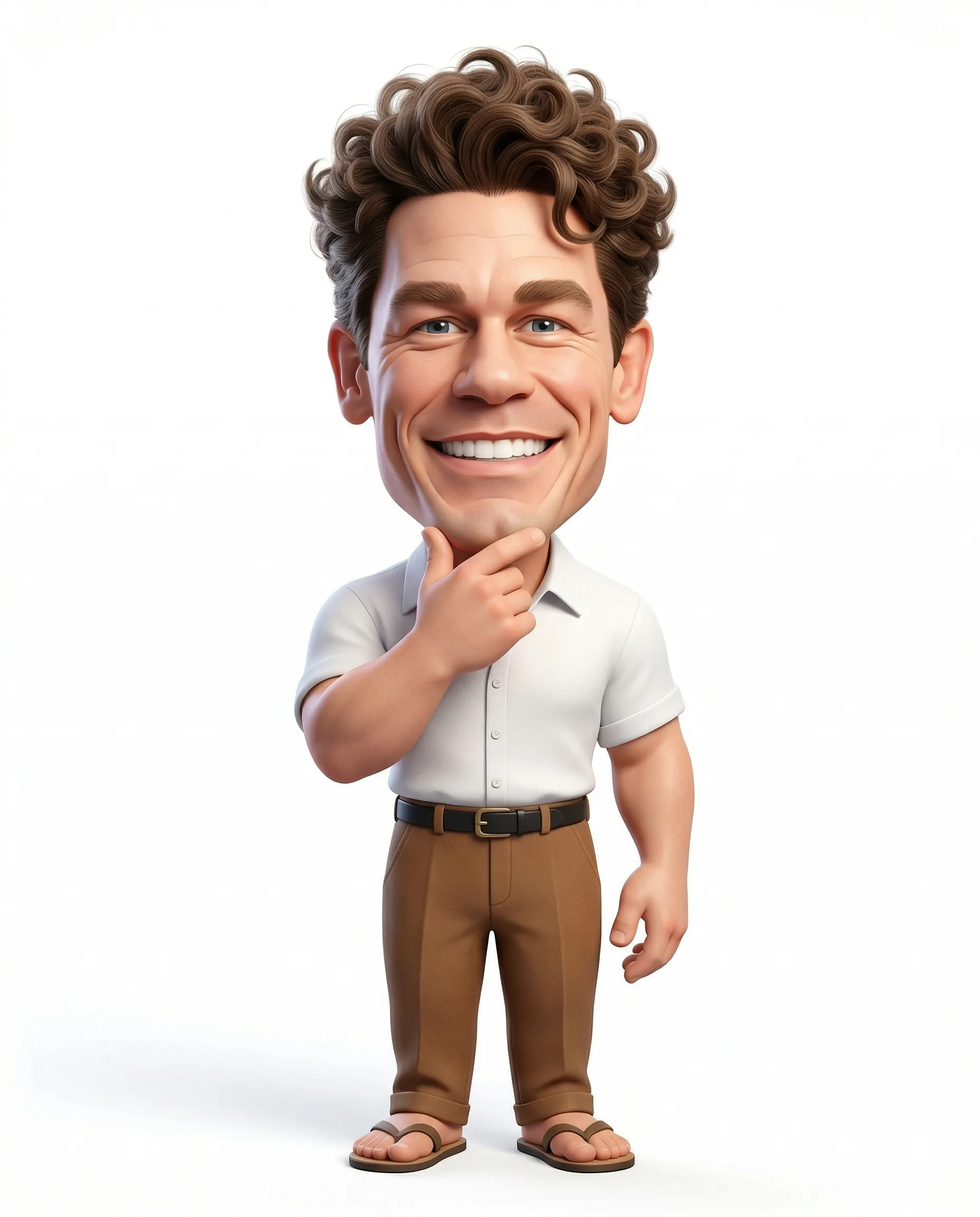
Smiling Male 3D Caricature Portrait
Prompt
Create a highly detailed 3D caricature of a cheerful man with an oversized head and exaggerated cartoon-style proportions while maintaining a semi-realistic finish. The head should be significantly larger in proportion, with a noticeably smaller and compact body (strong caricature ratio, around 1:3 or 1:4 head-to-body proportion). The character has a big, expressive smile showcasing large teeth and full of personality. Hair should be natural length, voluminous and stylized (e.g., curly or textured), adding to the playful look.
Outfit: A short-sleeved white button-up shirt, brown high-waisted pants with a black belt, and simple traditional sandals.
Pose: Casual and friendly — standing upright (slight body tilt) with one hand gently touching the chin in a thoughtful yet approachable manner. Body language should feel natural, relaxed, and full of charm.
Style & Rendering: High-quality 3D render with smooth lighting, soft shadows, and clean materials. The style should balance realism and caricature exaggeration (similar to modern animated film characters).
Background: Clean, pure white studio background with no distractions.
Composition: Full-body, centered framing, vertical aspect ratio (4:5).
How to use this prompt
Paste the complete prompt into Gemini. Add any required reference image, generate the first version without rewriting the source prompt, and then request one precise revision at a time.
Best AI model
Gemini is the model identified by the original source page for this prompt.
Tips for better results
• Keep the requested 4:5 framing during revisions.
• Preserve the specified lighting direction and contrast before changing wardrobe, pose, or background.
• Generate the complete prompt first, then refine one visual detail per revision.
• Keep the core subject and composition consistent while comparing variations.
Frequently Asked Questions
What does “Smiling 3D Caricature” create?
It creates the subject, composition, and visual treatment described in the original prompt.
Which model should I use?
The source identifies Gemini; follow the prompt's own model and reference-image requirements.
Can I customize the result?
Yes. Generate the original prompt first, then change one detail at a time while preserving the core composition.