Black and White Portrait with DEVIL Text Prompt
Prompt
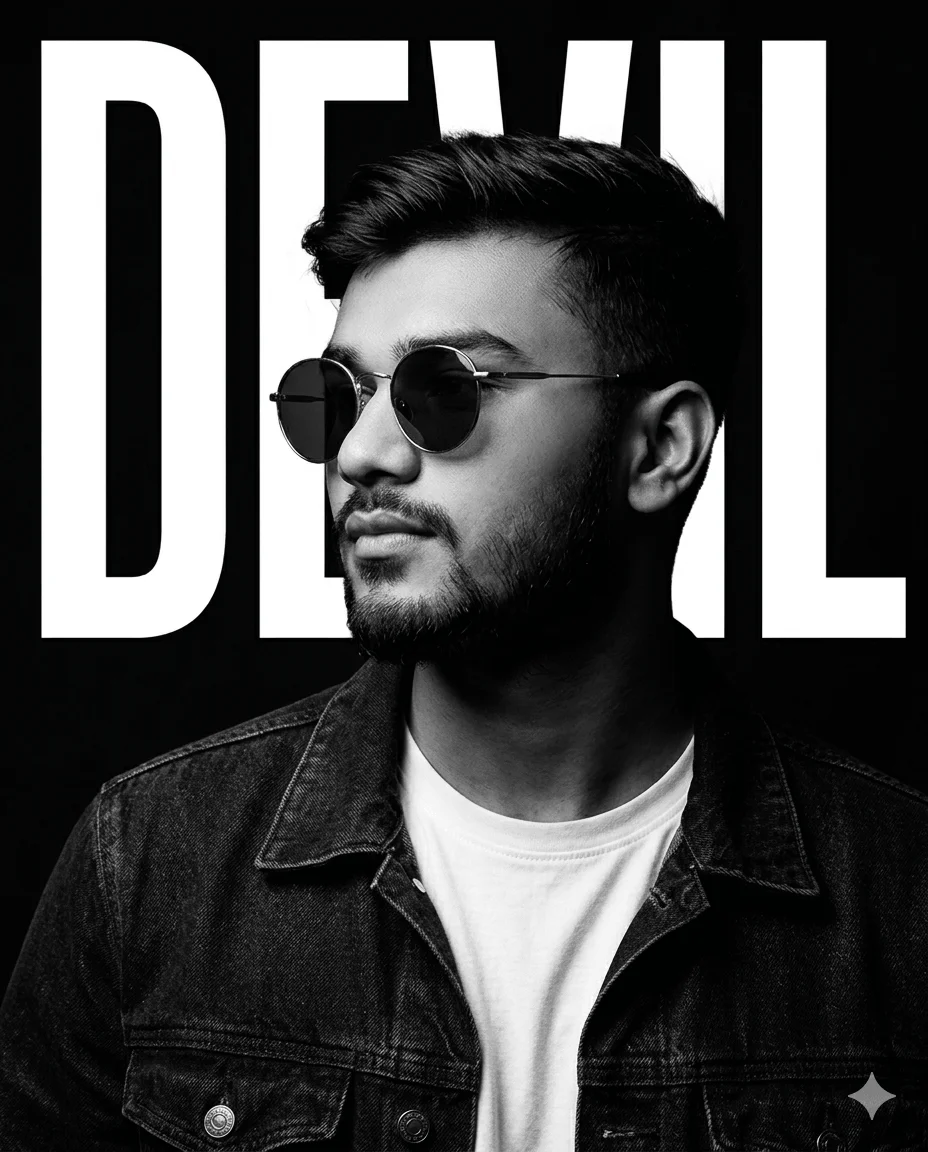
Create an ultra-realistic black-and-white editorial poster portrait of a reference male subject in a 4:5 vertical aspect ratio. Use the uploaded image strictly only for face and identity reference.
The composition is a tight chest-up portrait, with the subject centered in the frame. He is posed in a confident 3/4 side profile, facing slightly toward the left, not looking at the camera. His expression is calm, stylish, and self-assured.
The subject wears thin metal-frame round sunglasses with dark lenses, a dark denim jacket, and a plain white crew-neck T-shirt underneath. Keep the styling clean, masculine, and modern.
Use dramatic high-contrast studio lighting with a crisp editorial look. The lighting should create sharp highlights and defined shadows across the face, hair, jawline, neck, jacket, and glasses, giving the portrait a bold cinematic depth. Maintain extremely crisp details in the face, hair strands, hair texture, skin texture, clothing fabric, and eyewear.
The background is deep black, with huge bold white uppercase text behind the subject spelling “DEVIL”, vertically stretched and partially hidden by the head and shoulders.
Overall style should feel like a premium monochrome fashion poster or music artist cover — clean, bold, minimal, sharp, luxurious, and highly polished.
Negative guidance: no color, no soft blurry details, no identity drift, no cartoon look, no oversized thick glasses, no distorted text, no extra accessories, no full body.
How to use this prompt
Paste the complete prompt into Gemini, ChatGPT. Add any required reference image, generate the first version without rewriting the source prompt, and then request one precise revision at a time.
Best AI model
Gemini, ChatGPT is the model identified by the original source page for this prompt.
Tips for better results
• Attach a clear, well-lit reference image and state which identity details must remain unchanged.
• Preserve the specified lighting direction and contrast before changing wardrobe, pose, or background.
• Check generated typography carefully and regenerate only the text area if lettering is inaccurate.
• Generate the complete prompt first, then refine one visual detail per revision.
• Keep the core subject and composition consistent while comparing variations.
Frequently Asked Questions
What does “Man in Shades” create?
It creates the subject, composition, and visual treatment described in the original prompt.
Which model should I use?
The source identifies Gemini, ChatGPT; follow the prompt's own model and reference-image requirements.
Can I customize the result?
Yes. Generate the original prompt first, then change one detail at a time while preserving the core composition.